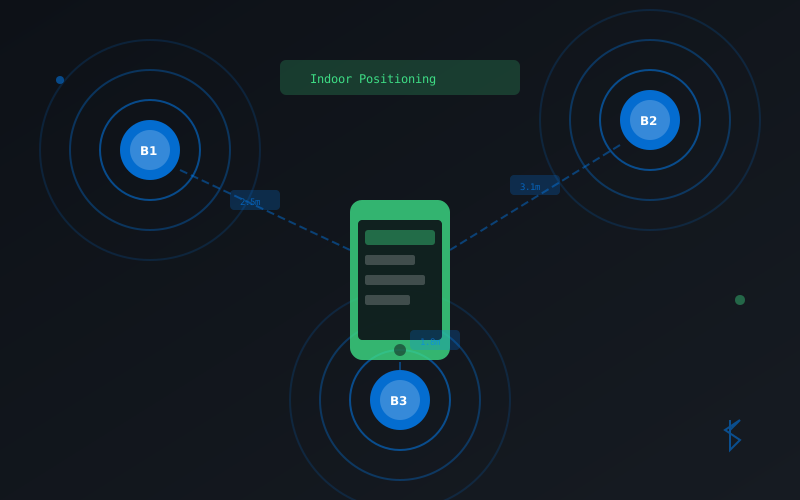
Bluetooth beacons enable location-aware experiences inside buildings where GPS doesn't work. They're small devices that broadcast signals your app can detect to determine proximity. Here's how to get started with beacon detection on Android.
Setting Up Beacon Detection
Add the AltBeacon library to your project and configure the necessary permissions:
// build.gradle
dependencies {
    implementation 'org.altbeacon:android-beacon-library:2.+'
}

// AndroidManifest.xml permissions
<uses-permission android:name="android.permission.BLUETOOTH"/>
<uses-permission android:name="android.permission.BLUETOOTH_ADMIN"/>
<uses-permission android:name="android.permission.ACCESS_FINE_LOCATION"/>
Scanning for Beacons
Create a BeaconManager and start scanning for nearby beacons:
public class MainActivity extends AppCompatActivity
    implements BeaconConsumer {

    private BeaconManager beaconManager;

    @Override
    protected void onCreate(Bundle savedInstanceState) {
        super.onCreate(savedInstanceState);

        beaconManager = BeaconManager.getInstanceForApplication(this);
        // Set the beacon layout for iBeacon
        beaconManager.getBeaconParsers().add(new BeaconParser()
            .setBeaconLayout("m:2-3=0215,i:4-19,i:20-21,i:22-23,p:24-24"));
        beaconManager.bind(this);
    }

    @Override
    public void onBeaconServiceConnect() {
        beaconManager.addRangeNotifier((beacons, region) -> {
            for (Beacon beacon : beacons) {
                Log.d("Beacon", "UUID: " + beacon.getId1() +
                    " Distance: " + beacon.getDistance() + "m");
            }
        });

        try {
            beaconManager.startRangingBeaconsInRegion(
                new Region("myRegion", null, null, null));
        } catch (RemoteException e) {
            e.printStackTrace();
        }
    }
}
Conclusion
Bluetooth beacons are a powerful tool for creating indoor positioning systems. With the distance estimates from multiple beacons, you can implement trilateration to determine precise user location. Start with simple proximity detection and expand from there.